Machine learning for kids simply means teaching computers to recognize patterns from examples—like images, sounds, poses, or text—instead of writing rigid rules.
Kids "train" a model by showing it examples, then watch it make predictions of its own. With free, no-code tools they can build their first working model in about 15 minutes—no coding required.
The real goal isn't turning kids into engineers overnight. It's helping them become critical thinkers who understand what's happening behind the AI they already use every day. For families ready to go further, that curiosity is a natural on-ramp to hands-on coding and robotics classes across the Bay Area or a Bay Area STEM summer camp.
As MIT’s Randi Williams, who developed AI learning kits for young kids, puts it:
“It’s not about coding. It’s about helping kids understand that computers don’t think—they follow patterns we give them. That understanding makes them powerful.”
Try These No-Code Projects This Weekend
What Does Machine Learning Mean - and Why Does It Matter for Kids
Traditional software is like a recipe book: a human writes exact instructions and the computer follows them.
Machine learning is different. It's like teaching a puppy. You don't program a puppy with code. You show it examples, give it feedback, and over time it recognizes the pattern.
The Takeaway: Traditional coding uses rules to produce data. Machine learning uses data to figure out the rules — powering everything from Netflix recommendations to fraud detection to medical diagnosis.
According to a 2024 Brookings Institution report, students exposed to AI literacy early were 23% more likely to question automated decisions. That's digital resilience, and it starts young.
What Equipment Do Kids Actually Need for Machine Learning?
You don't need expensive hardware. The best beginner machine learning tools are entirely cloud-based.
- Any basic device — a Chromebook, laptop, or tablet. No premium graphics cards required
- A built-in webcam — needed for image and pose projects. Built into most laptops and tablets
- A microphone — optional, only for voice or sound-based projects
- An internet connection — both Teachable Machine and ML4K run in the cloud. No downloads, no GPU
Optional Upgrades by Age
- Ages 6–10: Nothing extra — Teachable Machine covers everything
- Ages 9–14: LEGO Spike Prime or VEX IQ for hands-on physical computing alongside digital tools
- Ages 12+: Raspberry Pi 4 with USB camera for local Python-based deep learning
The Best Free Machine Learning Tools for Kids in 2026
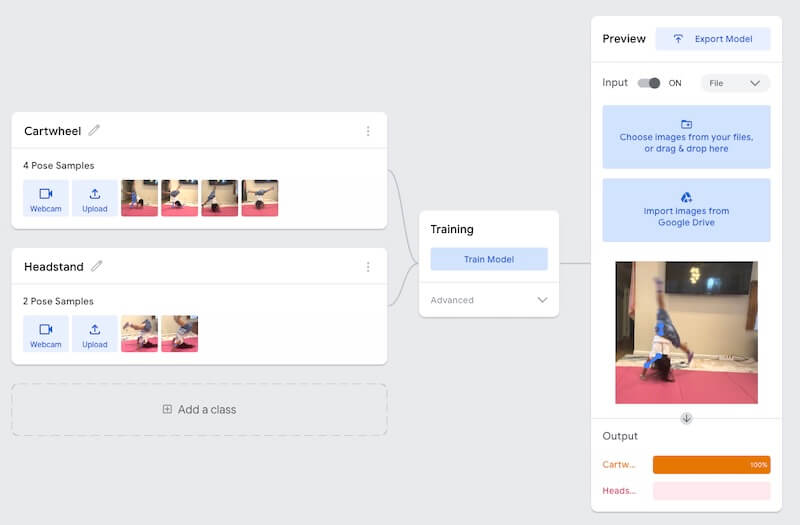
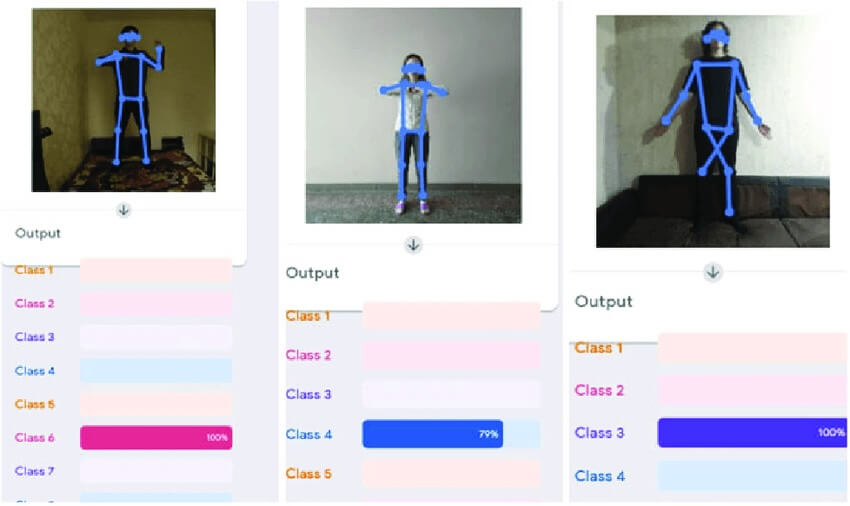
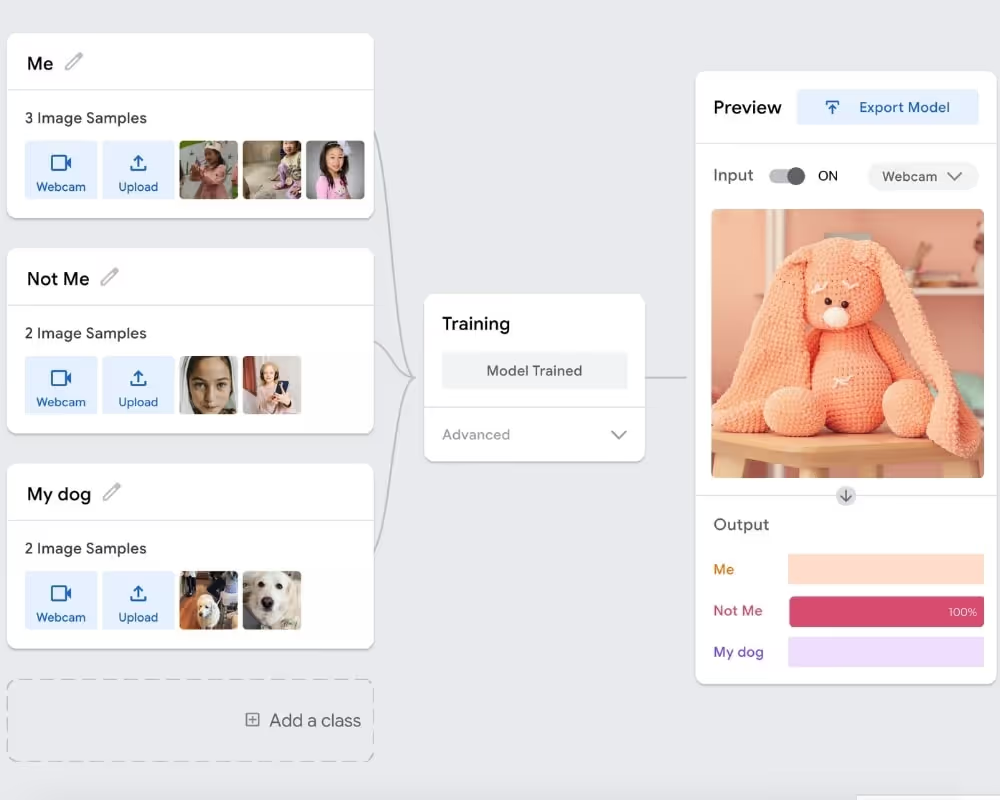
a. Teachable Machine (by Google)
Best for: Age 6+- Zero coding required
- What it teaches: Training sets, data inputs, how AI learns from examples
- The Experiment: Hold a banana to your webcam, take 50 photos. Hold an apple, take 50 more. Click Train. Now hold up a green Granny Smith — the AI will likely fail. Your child learns the most important truth in data science: an AI is only as smart as the data you feed it
- Try it: Gymnastics Pose Trainer · AI Puppy Detective
-
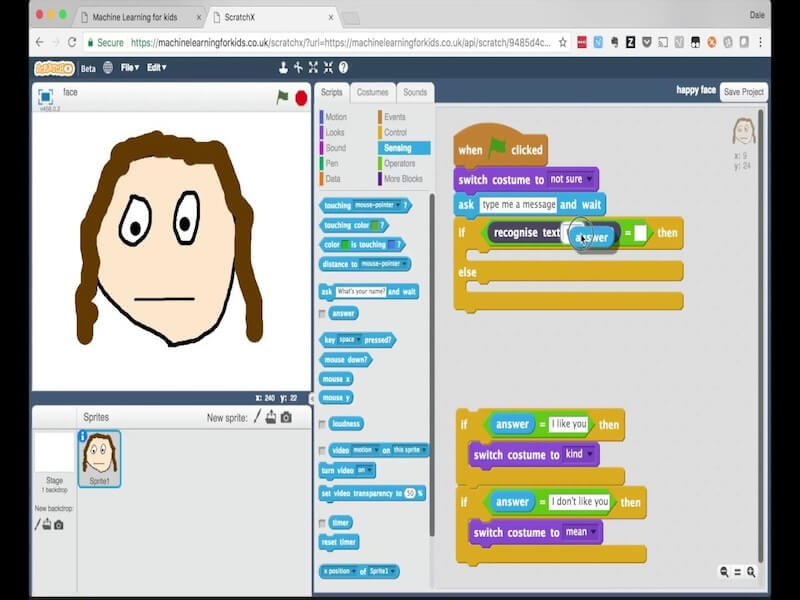
b. Machine Learning for Kids
Best for: Ages 9–14 — Scratch blocks or Python
Created by Dale Lane, IBM Watson platform lead since 2011, originally built as a personal project for his own two children. Now the global gold standard for classroom ML education.
- What it teaches: Confidence threshold scores, text classifiers, machine bias, connecting trained models to real projects
- The Experiment: Train a system to recognise polite vs rude text, then build a smart-home door in Scratch that only opens for polite greetings
- The Real Lesson: Demystifies how content moderation filters and voice assistants actually work
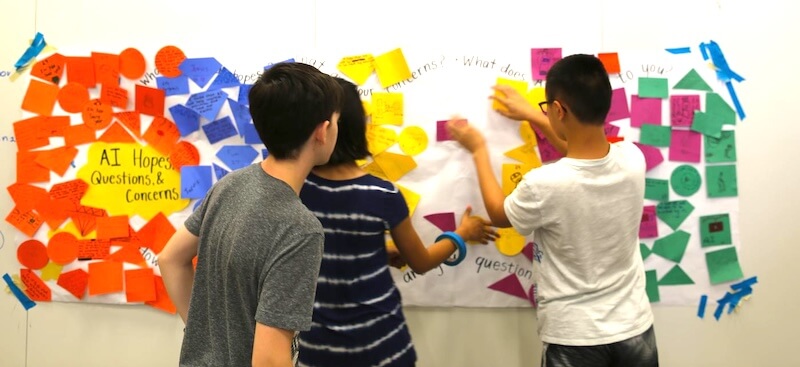
c. AI + Ethics Curriculum -MIT Media Lab
Best for: Tweens and teens — discussion-based, no coding
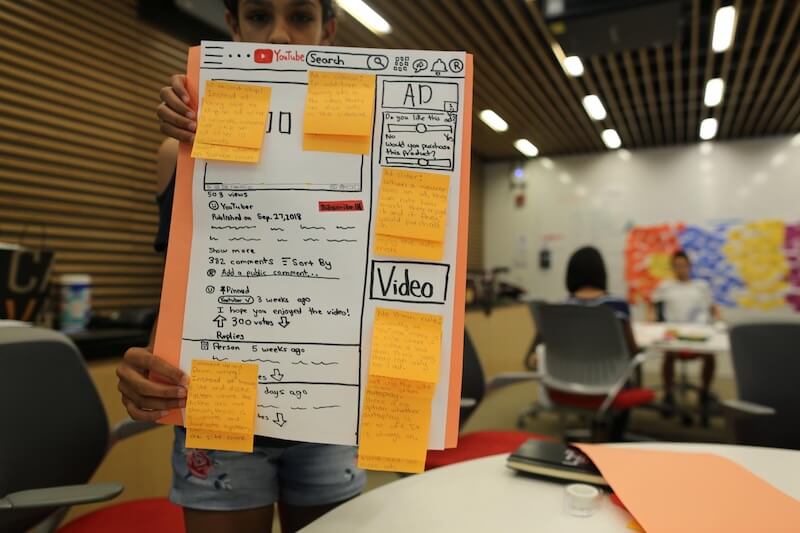
Prompts kids to examine their own YouTube or TikTok algorithms: what data made this video appear? Who optimized for what? No programming required.
👉 Want to explore safe and carefully selected AI homework helper apps for kids, read here
Machine Learning Tips by Age: Practical Advice for Parents
Ages 3–5: Screen-Free Pattern Games
Give your child household objects and ask them to sort by one rule — colour, shape, size. Mid-sort, change the rule. This models exactly what happens when an AI model is retrained on new data. No screens, no apps.
Ages 6–10: Five Habits That Build Real Understanding
- Always run the Imposter Test — after training, show the AI something it hasn't seen. When it fails, ask why. Builds the habit of questioning automated outputs
- Vary the angles — tilt, rotate, move closer during photo capture. More variation = more accurate model
- Train a confused model on purpose — overlap categories and watch confidence scores fluctuate. Teaches boundary thresholds
- Name categories something funny — "Team Marshmallow" vs "Team Gummy Bear" maintains engagement during repetitive data gathering
- Retrain after failure — add 20 photos and retrain. Watching accuracy improve teaches iteration and the scientific method
Ages 9–14: Go Deeper
Move to Dale Lane's platform. Start with text classification before images — faster to train, more immediately surprising results.
Ages 12+: Pair Projects with Ethics
Use MIT's curriculum alongside hands-on experiments. Students who can build and critique AI systems are the most future-ready.
How Do You Safely Introduce Deep Learning to Young Kids?
Deep learning — the multi-layered neural network technology behind facial recognition and voice assistants — sounds intimidating. It doesn't have to be.
Ages 3–5:
No screens needed. The Robot Sorting Game above is actually modelling classification logic — the foundation of deep learning — without any terminology.
Ages 6–10:
Don't use the term yet. Teachable Machine runs simplified neural networks in the background. The concepts are there without the complexity.
Ages 9–14:
Introduce the Filter Analogy: deep learning is like looking at a picture through multiple layers of differently coloured sunglasses simultaneously — one layer sees edges, another sees shapes, another sees colours. ML4K makes confidence scores visible so kids have concrete numbers to discuss.
Ages 12+:
Introduce the actual term alongside MIT's Ethics curriculum. Students who can both build and critique AI systems are the most future-ready.
The principle at every age: never let the AI be a black box. Always ask "why did it get that right?" and "why did it get that wrong?" Those two questions are the foundation of AI literacy.
Screen-Free Machine Learning Games the Whole Family Can Try
The Defective Data Sorting Game
Give your child a pile of random household objects — pens, keys, coins, utensils — and tell them they are the algorithm.
- The Training: Sort into "Tools" and "Not Tools." Let them set their own rules
- The Edge Case: Drop an ambiguous object into the pile — a seashell, a broken toy. Ask: "Where does this fit? Does your algorithm need updating, or do you need a third category?"
- What it builds: Classification boundaries and how engineers handle messy data
Decision-Tree Twenty Questions
Play Twenty Questions but map the answers on paper. Every yes/no question becomes a branch — yes goes left, no goes right. By the end your child has drawn a real Decision Tree — the structure behind algorithms that predict consumer behaviour and approve credit applications.
How to Do Machine Learning as a Family — The Everyday Version
No curriculum needed. Call out algorithms when you encounter them:
- In the car: "Google Maps changed our route. It's reading data from thousands of phones ahead of us right now."
- On Netflix: "Why did it recommend this? It matched our watching history to similar households."
- On social media: "Why does this video keep appearing? What did we watch that triggered it?"
These two-minute conversations stop kids from seeing technology as a magical black box.
The Reality Check on AI Homework Tutors
Tools like Socratic by Google and Khanmigo by Khan Academy are genuinely adaptive — but they carry one real risk: cognitive outsourcing.
If a child bypasses every moment of intellectual frustration with an AI assistant, they trade long-term resilience for short-term convenience. Establish one rule at home: AI is a thinking partner, not an answer machine. The assignment isn't done until your child can explain the logic back to you without looking at the screen.
👉 Want to explore safe, vetted AI homework helper apps for kids?
What Machine Learning Really Teaches Kids
The most important AI skills aren't technical. They're human: curiosity, judgment, pattern recognition, creativity, critical thinking — the exact capabilities algorithms are still learning to replicate.
Whether your child is sorting toys on the floor, questioning why YouTube recommended a video, or training an image model in 15 minutes, they're already learning how intelligent systems work.
The goal isn't to raise children who consume AI tools. It's to raise children who question them, understand them, and eventually shape them.
That learning can begin before anyone writes their first line of code.
Explore More from AIFunLab
- 👉 AI and coding after-school classes in the Bay Area — our most up-to-date program list
- 👉 Top Bay Area Private Schools guide — schools integrating AI into learning
- 👉 Year-round STEM activities in the Bay Area — free and paid by region
FAQ
What is the simplest example of machine learning?
Show a computer 20 photos of cats and 20 of dogs, then hand it a new photo. Nobody wrote a rule about whiskers or ears — it learned the difference from the examples alone. You can do exactly this in about five minutes with a webcam and Google Teachable Machine.
How do you explain AI to a 7 year old?
Start with what it does, not what it is: "It's a computer that got really good at guessing, because we showed it thousands of examples." Then let them catch it being wrong — show it something unfamiliar and watch it fail. Kids understand AI fastest at the moment it makes a mistake.
What is AI for a 5-year-old?
A computer that learned by looking at lots of examples, the way they learned what a dog is by seeing many dogs. At this age skip screens entirely — sort household objects by one rule, then change the rule mid-game. That is the concept.
How does Google Teachable Machine work for kids compared to ML4K?
Teachable Machine is simpler — best for ages 6–10, no account needed, image and pose projects in minutes. ML4K by Dale Lane is deeper — best for ages 9–14, with Scratch integration, text and audio classifiers, and 50+ structured projects.
What are the best tips for introducing machine learning to elementary students?
Start with 15-minute, browser-based projects using Google Teachable Machine (ages 6–10) or ML4K (ages 9+). Focus on visual pattern recognition—like training a webcam to recognize hand gestures or drawings—rather than code or math equations. For younger elementary students, screen-free sorting games build the underlying classification logic first.
Do kids need coding or math experience?
No. Google Teachable Machine and ML4K require zero coding. Concepts are taught visually through examples, not equations. Pattern recognition games work for complete beginners of any age.



%20(300%20x%20250%20px)%20(1).avif)
%20(300%20x%20250%20px)%20(2)%202.avif)




-min.avif)