The word "AI" on these toys tells you almost nothing, by the way. The useful question is duller: does your kid give the machine instructions, or does the machine put on a show? Both have value. But if you spent $500 expecting the first and got the second, you'll be regretting.
How we'd choose
- Actually want them to learn to code: Sphero BOLT+ (~$199) or mBot2 (~$149.99)
- Ages 5–8, sick of tablets: Botley 2.0
- Ages 6–11, want a middle path: Dash (~$189.99)
- Want a friend, not a curriculum: Miko 3 or Eilik — that's fine, just know it going in
- Not sure they'll stick with it: don't buy anything yet. Free options at the bottom
What these robots actually teach
Buy two levels above your kid and it's a paperweight. One below and they're done by Sunday. That mismatch is the number one reason these things end up on the shelf.
👉 Try Free fun AI activities to stimulate their brain here
The 30-day slump
They all follow the same arc. Two or three weeks of genuine obsession, then quiet.
[YOUR EXPERIENCE — which robot, how long, what actually happened. Specific and unflattering. Nobody else can write this part.]
The survivors have somewhere to go next: harder challenges, expansion parts, a real language. The rest have a ceiling your kid hits once and never returns to.
So: what does my kid do with this in month four? If the answer is "what they did in week one," it's a toy. Which is allowed — just buy it knowing.
Sphero BOLT+
Ages 8–16 · ~$199 · 4.6★ · We own the older BOLT

The longest runway here. Sphero replaced BOLT with BOLT+ in 2024 — the LED matrix became a proper LCD screen, better wireless charging, new processor. Classrooms use it through grades 3–10, and it climbs from block coding into JavaScript.
Nine is the sweet spot. Old enough for the logic, young enough that seven more years of use isn't wishful thinking.
The irritations are real: roughly six hours to charge, about two hours of play, which your child will notice on a rainy Saturday. It needs a tablet. And it rewards kids who like solving things — one who's waiting to be entertained will drift.
Already have the older BOLT? It still works fine. Sphero runs a trade-in if you want it. You're not obligated.
mBot2
Ages 8+ · ~$149.99 · 4.4★ · Researched, not tested
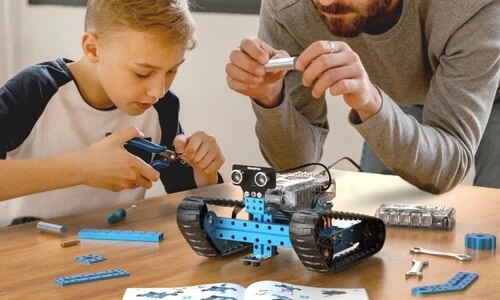
Your kid builds it — about half an hour — then codes it, from blocks into Python in the same software.
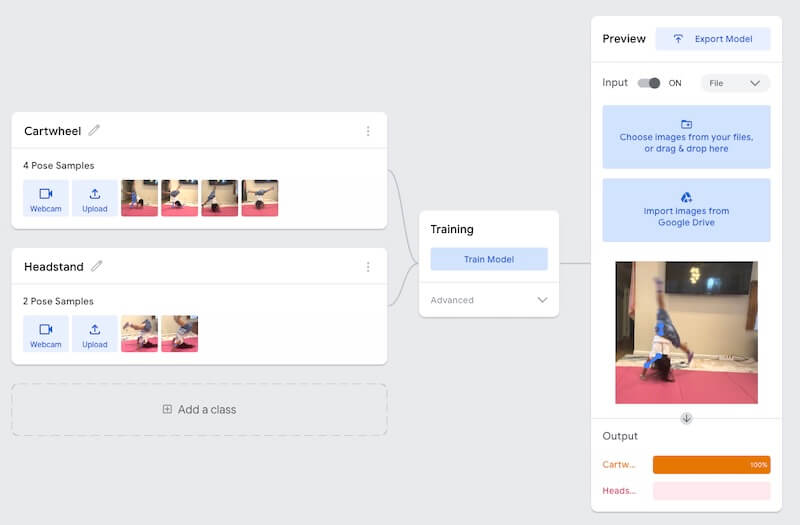
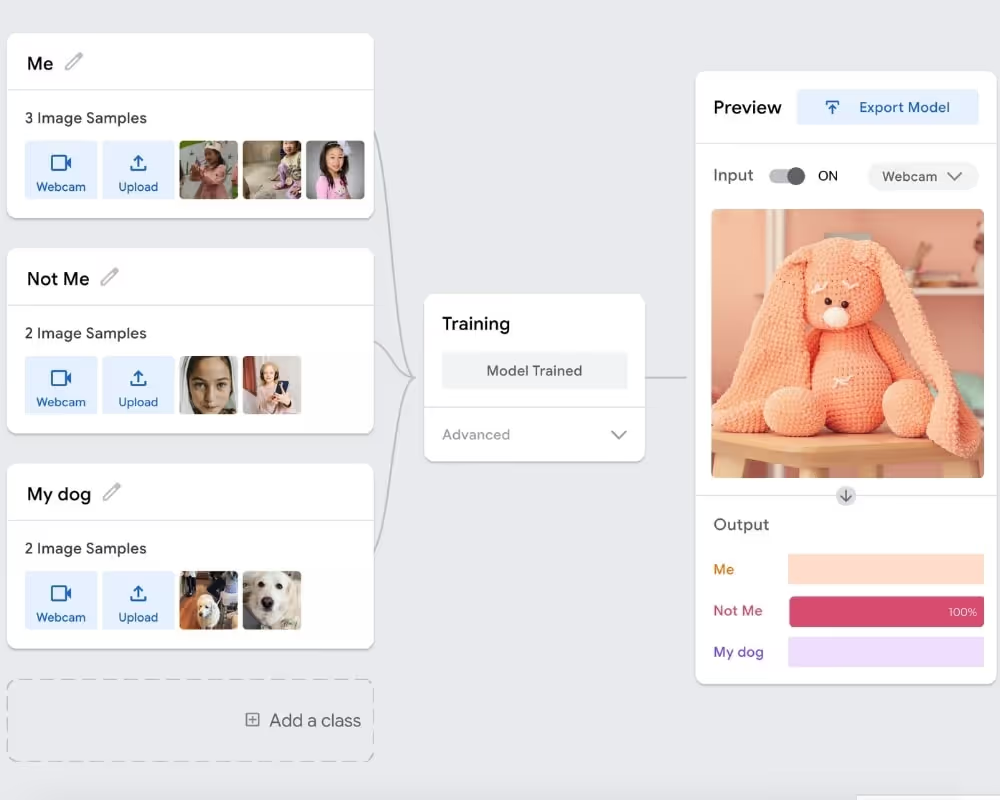
Here's the part nobody mentions: mBot2 can be trained for image, pose, and video recognition through machine learning in mBlock. Your child trains a model instead of watching one perform. It's the only robot here where "AI" on the box describes something the kid actually does.
One caution, because comparison charts get this wrong constantly: the $69.99 "mBot" you'll see quoted is the older Arduino model. Different robot.
Skip it if your child hates building. The building is the point.
Dash
Ages 6–11 · ~$189.99 (Wonder Pack ~$290) · 4.3★ · We own this

Five free apps, LEGO-compatible, voice-responsive, in 40,000+ schools. Solid, with a lower ceiling — most kids age out around 11.
Two things the product page won't say. Wonder Workshop has been shrinking: Dot was discontinued in 2023, Cue is gone entirely, and prices rose in October 2025 over a 19% tariff on Philippines imports. Check what a full Make Wonder subscription costs before assuming it's included.
Also — remember this — Dash doesn't have a camera.
Botley 2.0
Ages 5–8 · 3.8★ · We own this
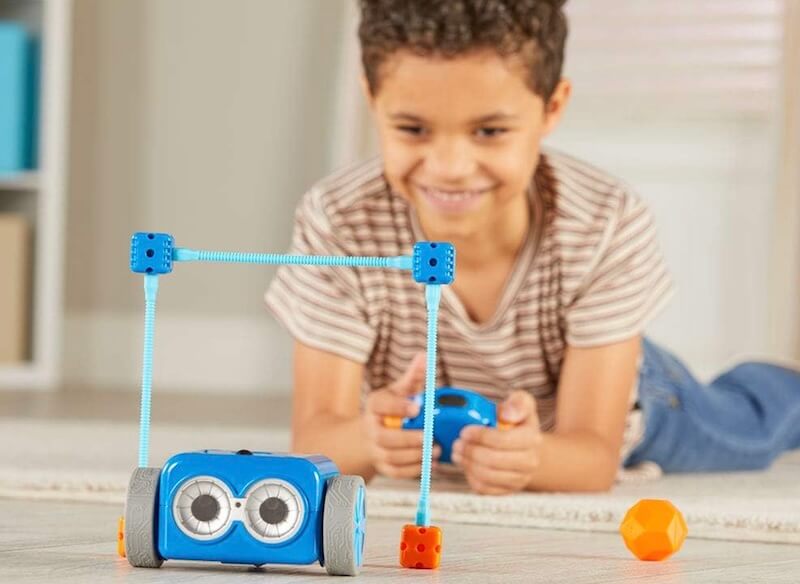
The only genuinely screen-free one. A physical remote, coding cards, no app, no tablet, no "just download this first." Up to 150 steps in six directions.
Anyone who's tried to introduce a screen-free toy that needs a screen to set up knows why that matters.
But the reliability complaints are real and you should hear them: movement glitches, units that make noise but won't move, 90° turns that aren't. It's the lowest-rated robot here for a reason. Most kids also outgrow it by nine.
Miko 3
Ages 5–10
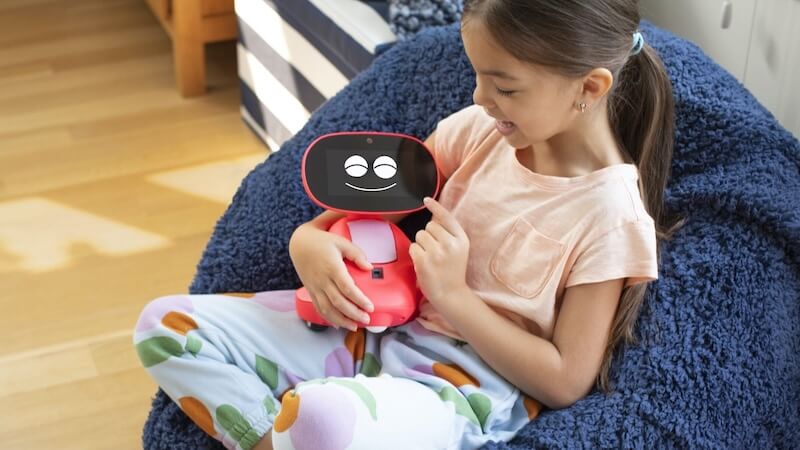
Conversational, charming, decent stories. It won't teach your child to code. Buyers keep flagging wifi trouble and subscription costs that show up after the box does, with interest fading somewhere in the six-to-twelve-month range.
Buy it as a companion and you'll be happy. Buy it as an investment and you'll feel sold to.
If screen-free is important
The list is one item long. For reasons that are getting harder to ignore, a lot of us are asking.
Eilik, Loona - a running camera in your room
These sit beside coding robots in every gift guide, which is a bit like shelving a hamster next to a chemistry set.
Eilik (~$139.99, ages 3+)
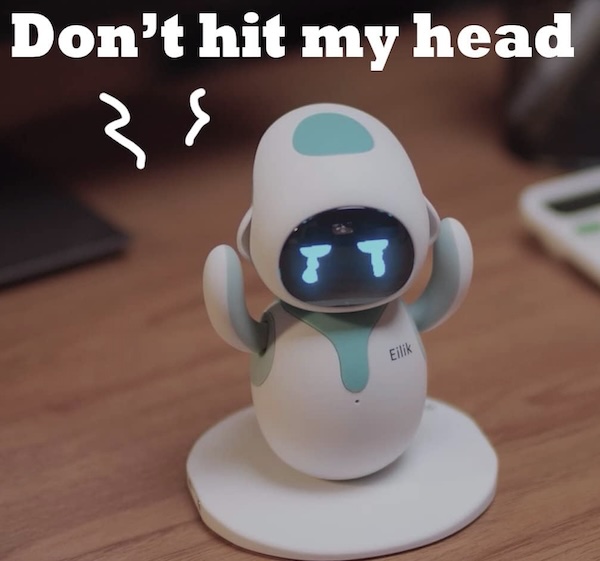
Eilik is a desktop creature with a thousand animations. It reacts to touch, plays reflex games, and two of them will bicker with each other. No wifi, no app, no camera, no coding. Ninety minutes of battery, and the novelty fades in a few weeks. It's refreshingly honest about being a desk toy with feelings.
Though kids should really learn the emotions from their friends and family members, not a robot.
Loona (~$499, ages 6+)
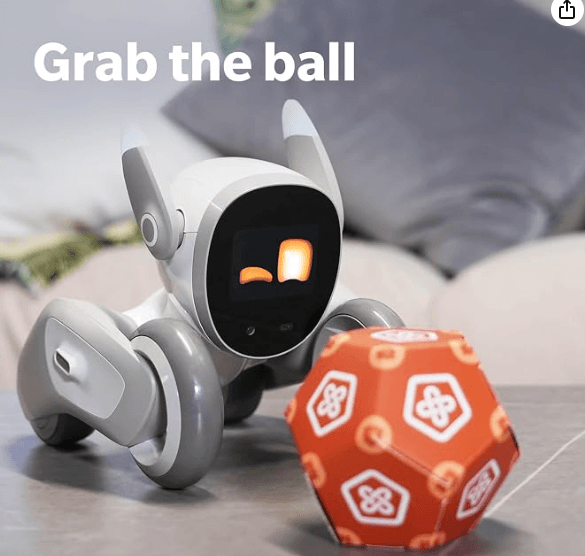
Loona is a wheeled companion — not a walking dog, despite the name and every photo of it. GPT-4o conversation, face and gesture recognition, ball fetching, and Blockly tools that add genuine learning value. It also struggles on carpet, lags on weak wifi, runs 2–4 hours, and costs five hundred dollars. We prefer using the money to feed our dog real food :-D
Before a camera robot goes in a kid's room.
Loona ships with a 720P camera and remote monitoring — KEYi says so plainly, describing it as doubling as a home monitor with camera and speaker.
KEYi's support documentation says face data, body data, and all perception processing stay local to the robot rather than going to the cloud, with voice analyzed in real time via AWS and account data on AWS servers in the EU and US.
KEYi's privacy policy — published by Beijing Keyi Technology Co., Ltd., last updated September 2023 — says that as you interact by voice, they collect your voice command information to analyze commands and improve service quality.
We're not accusing anyone of anything. We're saying a parent who reads both comes away unsure, and a parent who reads neither — most of us, at 11pm, mid-checkout — comes away knowing nothing.
If that pattern sounds familiar, it should. We've been reporting on what happens when kids' platforms treat safety as a feature rather than a foundation.
Four questions worth asking about any camera robot:
- Where is video processed, and is any of it kept?
- What happens to voice recordings?
- Do the AI features stop working if the company's servers go down — or the company does?
- Can monitoring be turned off completely, or only hidden in the app?
Amazon won't ask these for you. Neither will the gift guide that ranked it third.
Try it free before you spend $150
If you're not sure it'll stick — and after all that, you're probably not — don't buy hardware first.
Free browser tools teach the same underlying ideas for nothing. Start with machine learning for kids, our AI tools and apps roundup, and the hands-on AI activities our own kids test. Same pattern with AI math apps — the tool isn't what does the teaching.
Still asking a month later? Then it's real. Buy the thing.
Who should buy what
Harvard's Center on the Developing Child calls learning "serve and return" — a child does something, an adult responds, and the back-and-forth is where the thinking gets built.
No robot does the return. It executes, then waits.
Which is why a $70 kit with a parent asking "huh — why do you think it did that?" beats a $500 robot alone in a bedroom, every time.
Nobody sells that. Probably why nobody mentions it.
Want structured instruction instead of another box in the garage? See our guides to coding and robotics programs in the Bay Area and how to choose a coding class.
FAQ
What is the best AI robot for kids?
Depends what you want them to learn. For real coding progression, Sphero BOLT+ (ages 8–16) or mBot2 (builders, 8+). For a screen-free first step, Botley 2.0 (5–8). For conversation rather than STEM, Miko 3 — but it won't teach coding.
What age should a kid start with a coding robot?
Around 5 for screen-free sequencing toys like Botley 2.0, 6–11 for app-guided robots like Dash, and 8+ for anything reaching a real programming language. Buying above your child's level is the most common reason these get abandoned inside a month.
Are AI robot toys with cameras safe for kids?
Camera-equipped companion robots like Loona include remote home monitoring, and the manufacturer's support documents and privacy policy don't describe data handling identically. Before one goes in a child's room, check where video and voice are processed, what's stored, and whether the AI features depend on the company's servers staying online.
Which coding robots are screen-free?
Only Botley 2.0 is fully screen-free — a physical remote programmer, no app or tablet. mBot2 moves without a screen but needs a computer to actually code it. Dash, Sphero, and Miko all require an app.
What's the difference between an AI robot and a coding robot?
A coding robot is programmed by the child — they write the logic, it executes. An AI robot responds to the child using speech or vision that's already built in. Coding robots teach how systems work; AI companions demonstrate that they work.
Do AI robot toys get boring?
Usually. The pattern is heavy use for two to three weeks, then the closet. Toys with a fixed ceiling get outgrown fastest; the ones that last offer somewhere to go next — harder projects, expansion parts, or a path into a real languge.

Over a decade helping students into top colleges. The acceptance letter isn't the finish line — it's just the beginning.



%20(300%20x%20250%20px)%20(1).avif)
%20(300%20x%20250%20px)%20(2)%202.avif)
-min.avif)