How can kids train an AI to recognize their dance moves?
What You'll Need
- A laptop or desktop with a webcam, in Chrome or Safari
- Google Teachable Machine (Pose Project). Free, no account, no download.
- Room to dance: about 6 to 8 feet between the dancer and the laptop, so the whole body fits in the frame
- A plain wall behind the dancer and good light
- Three or four dance moves your kid already loves, like the floss, the dab, the robot and a freeze
- A second player to be the DJ (a sibling, friend or you)
- About 30 minutes
Heads up
Teachable Machine doesn't ask for an account or an age, so younger kids can use it with a parent nearby. The webcam samples stay on your computer unless you choose to save the project to Google Drive. Checked October 2026.
How to Do It
Part 1: Teach the judge your moves (15 minutes)
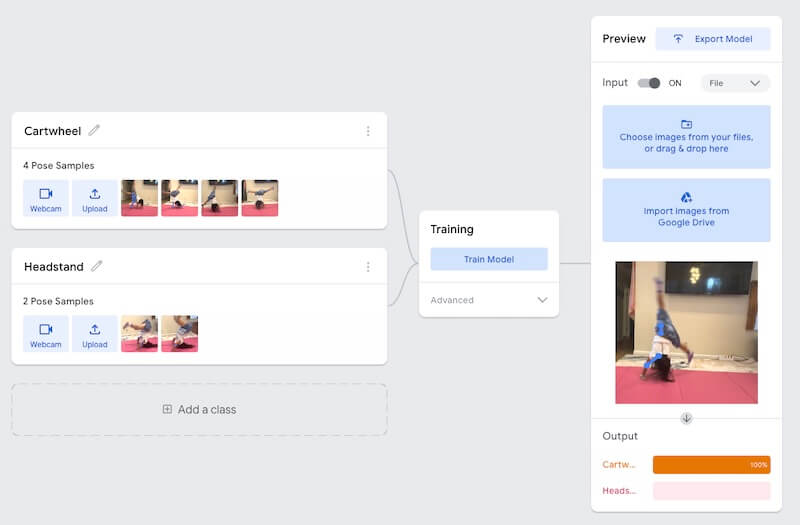
- Open a Pose Project. Go to Teachable Machine, click Get Started, then choose Pose Project. You'll see two classes, Class 1 and Class 2. Click Add a class until you have one for each move, plus one more.
- Name each class after a move. Click the pencil next to each class name and type the move: Floss, Dab, Robot, Freeze. Name the extra class Just Standing. Without a "nothing" class, the AI has to pick a dance move even when your kid is just walking back to the laptop.
- Record the first move. Under Floss, click Webcam and allow camera access. Step back until head and feet are both in the frame. Your kid starts dancing, then you press and hold Hold to Record for a few seconds. Aim for about 50 to 100 samples. You'll see dots and lines appear on the shoulders, elbows, hips and knees. That stick figure is what the AI actually looks at.
- Record every other move the same way. Keep the same spot, outfit and lighting. For Just Standing, have your kid stand, shuffle and wave a little so the AI learns what "not dancing" looks like.
- Click Train Model. It can take a minute or a few, longer with lots of samples. Keep the tab open while it trains, because switching tabs can pause it.
Parent tip
While it trains, ask: "What do you think the AI is noticing about the dab?" The answer is the stick figure. It sees where the arms, legs and head are in each frame. It doesn't hear the music, and it doesn't know what a dance is.
Part 2: Play Dance Move Judge (10 minutes)
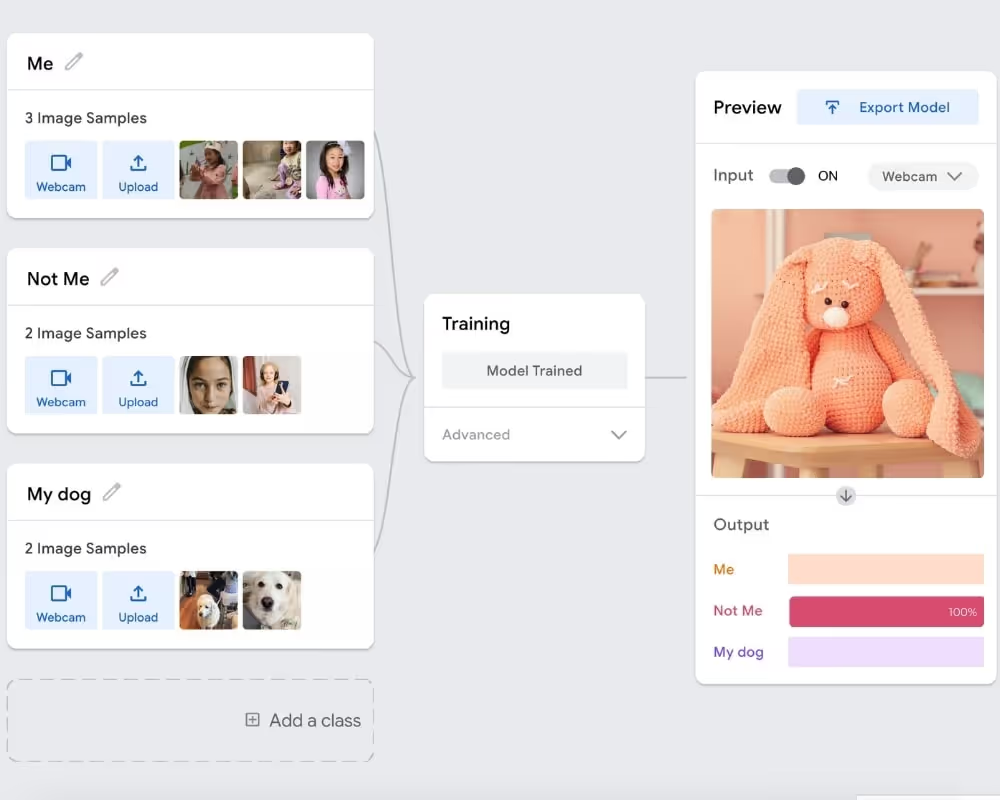
- Turn on the preview. When training is done, the Preview panel turns on the webcam and shows a bar for each move. The longest bar is the AI's call.
- The DJ calls a move. One player shouts "Dab!" and the dancer does it. If the judge's top bar says Dab within three seconds, the dancer scores a point.
- Speed round. The DJ calls moves faster and faster. Watch how the bars jump as the dancer switches.
- Swap roles. Let the DJ dance. Does the judge still get it right with a new dancer?
Part 3: Stump the judge (5 minutes)
Now the goal flips. Your kid tries to confuse the AI on purpose and figures out why it got fooled. If they love catching AI slip-ups, Outsmart the AI has three more rounds.
- Half a move. Stop halfway between the floss and the robot. The bars split, because the AI is unsure.
- Turn around. Dance with your back to the camera. The stick figure looks different, so the AI may guess wrong.
- Too close. Step up until the legs are out of the frame. Without legs, some moves look the same.
- New dancer. A taller or shorter person tries the same moves. If the judge struggles, it learned one body, not the move.
- The floss puzzle. The floss is all motion, and the AI only sees one frozen frame at a time. Some frames of the floss may look like Just Standing. Ask your kid why that might happen.
Then fix it. Add 30 more samples of the move the judge keeps missing, or record a second dancer in the same class, and click Train Model again. Better examples make a better judge. That's how people improve real AI models, too.
Parent tip
Fitness apps and motion-tracking video games use the same idea: find the body's key points, then match the shape. Ask your kid where else a computer might watch how people move, and whether they'd want it to. Our machine learning explainer for kids has more everyday examples to talk through.
Bonus: Turn a dance into a 3D character (optional, parent's account)
DeepMotion Animate 3D turns a short phone video of your kid dancing into a 3D animated character. Its free plan lets you make up to 60 seconds of animation a month for personal, non-commercial use (as of Oct 2026). DeepMotion's terms say users must be at least 13, and minors need a parent's permission and supervision, so a parent signs up and uploads the clip while your kid picks the character. Want the stuffed animals to dance too? Try a toy dance concert with AI.
Safety note
Uploading a video sends it to an online service. Film in a plain spot with nothing personal in the background, like a school logo, a house number or other kids, and use a clip that shows the dance, not your child's face up close.
FAQ
Is Teachable Machine free, and does my child need an account?
Yes, it's free, and no account is needed. Teachable Machine runs in the browser on a laptop or desktop. Training happens on your computer, and the webcam samples stay there unless you choose to save the project to Google Drive. That makes it an easy pick for kids under 13 with a parent nearby.
Why does the AI mix up some dance moves?
The pose model looks at one frame at a time and only sees the positions of the head, arms and legs. Moves that pass through similar shapes, or that depend on motion like the floss, can look alike in a single frame. More samples from different angles, and a Just Standing class, usually help.
What ages is this AI dance game for?
Ages 6 and up. Younger kids can do the dancing and the DJ game while a parent handles the clicks. Kids 9 and up can usually run the whole project themselves and get more out of the Stump the Judge round, where they work out why the AI made a mistake.
Can we do this on a tablet or phone?
It works best on a laptop or desktop with a webcam, in Chrome or Safari. The training and preview screens are built for a computer. A laptop on a table, with the dancer standing a few steps back, gives the AI a clear full-body view.
Try These Next
- 🤸 Train an AI to Read Your Gymnastics Moves → another Teachable Machine body project, with cartwheels and bridges
- 🐶 AI Puppy Detective → train an image model to tell your dog from an imposter
Sources
Checked October 2026.