
Here's the thing: You can help build their problem-solving skills without buying expensive kits or signing them up for yet another class. University of Wisconsn found that that
Kids doing STEM activities before age 8 showed 30% better problem-solving by middle school.
These ten no-prep AI activities each take 10 to 30 minutes, use free tools you open in a browser, and need zero setup: no lesson plans, no shopping, no prep. Your child animates the family pet, produces a jingle, stars in their own cartoon, or codes a game — turning passive screen time into something they build. Each one links to a full step-by-step guide, so you can pick one and start right now.
🧭 Looking for something more specific? Want to understand how AI learns? See our machine learning projects for kids. Want to choose an app? Browse the AI tools for kids directory. Prefer screen-free logic? Try our critical thinking games for kids. Want hands-on physical science? See our 3-week no-prep STEM plan.
Story & Language
🦹♀️ Star in Your Own AI Cartoon
(~20 min · ages 6–12)
Kids describe a character and a scene, then watch AI turn it into an animated cartoon they direct. It's a natural first project because the "wow" payoff is instant — and along the way they learn that clearer descriptions produce better results. Try this project →
🦸♀️ One-Click Action Hero with ChatGPT
(~15 min · ages 7–12)
Your child becomes the "creative director," giving AI the concept for an action-figure version of themselves and refining it until it's right. Great for reluctant writers, because the creativity is in the directing, not the typing. Try this project →
🎤 ChatGPT Language Pal
(~10–15 min · ages 8–14)
Kids practice speaking a new language with a patient AI partner that never rushes them — building confidence before they'd ever raise a hand in class. A quieter activity that's ideal for shy learners. Try this project →
Art & Music
🎧 Produce a Viral Jingle
(~15 min · ages 8–14)
Kids turn a topic they love into an original song and music video using AI — no instruments, no experience. It's one of the most re-playable projects because every run sounds different. Try this project →
🦄 Magical Unicorn Vlog
(~10 min · ages 5–10)
A fast, delightful entry point: kids create a short AI "vlog" starring a magical character. Because it's only ten minutes, it's perfect for a first-ever AI activity or a short attention span. Try this project →
🍋 AI Art & Kid Entrepreneurship
(~15 min · ages 9–14)
Kids design product art with AI and build a simple business plan around it — blending creativity with real-world thinking about value and audience. A strong pick for older kids who like a challenge. Try this project →
Interactive Play
🐈 Animate Your Pet with AI
(~10 min · ages 5–12)
Upload a photo of the family dog or cat and AI brings it to life in a short dancing video. It's the single quickest win on this list — the kind of project that hooks a skeptical kid in minutes. Try this project →
💰 Rebuild & Resell Lego
(~15 min · ages 8–14)
Part creativity, part entrepreneurship: kids use AI to plan how to rebuild and "resell" Lego creations, learning pricing and persuasion. A refreshingly practical use of AI. Try this project →
Coding & Machine Learning
🏀 ScratchJr Basketball Shootout
(~15 min · ages 5–8)
Kids code their first playable game in about fifteen minutes — no reading-heavy instructions. The best starting point for a child who's never coded. Try this project →
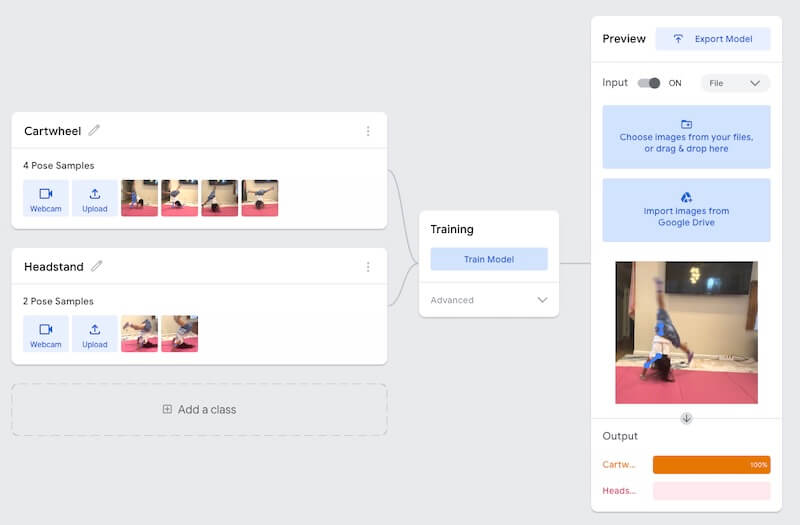
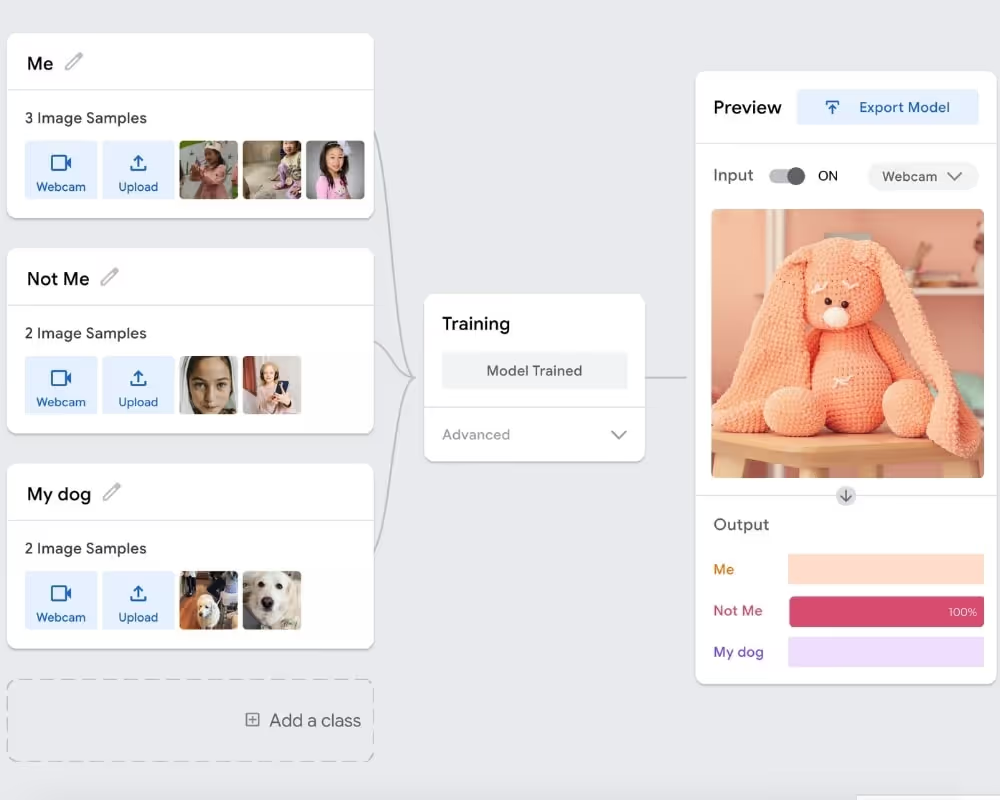
🎯 AI Face Recognition Game
(~25–30 min · ages 8–12)
A step up: kids build a smart face detector and see machine learning in action. If they love this, send them to our deeper machine learning projects for kids. Try this project →
FAQ
Q: Are AI activities safe for kids?
AI activities can be safe for kids when an adult sets them up and supervises. Choose free, well-known tools, keep personal details out of prompts, and review anything the AI generates together. Treat it as a shared creative session rather than solo screen time, and use it to spark conversations about how AI works.
Q: What age should kids start using AI?
Kids can start with guided AI activities around age five or six, as long as an adult sets things up and supervises. Younger children do best with quick, visual projects like animating a photo, while older kids can handle coding, storytelling, and creative projects that involve more typing, editing, and decision-making.
Q: Do kids need any special software or downloads for AI activities?
No. Most no-prep AI activities run in a web browser using free tools, so there's nothing to install. You'll typically just need a device with internet access and, for some projects, a free account set up by a parent. That's what makes these activities easy to start on short notice.
Q: How long do AI activities for kids take?
Most no-prep AI activities take between 10 and 30 minutes. Quick projects like animating a pet photo or making a short vlog take about ten minutes, while coding a game or building an AI face detector can take closer to half an hour. Each one is designed to finish in a single sitting.
Q: Are AI activities actually educational, or just fun?
Well-designed AI activities build real skills — creativity, clear communication, problem-solving, and early coding — while feeling like play. Directing an AI to get the result you want teaches kids to give precise instructions and evaluate output critically, which are exactly the thinking skills that matter as AI becomes part of everyday life.



%20(300%20x%20250%20px)%20(1).avif)
%20(300%20x%20250%20px)%20(2)%202.avif)






-min.avif)